
Here’s how to place an order online on our website www.damius.com
>> Step 1 :
Access our tricycles from the main menu by clicking on “Our electric tricycles“.

Once on the product page, you can view the product details via the tabs (in yellow). To proceed to configuration, choose the color and then click the “BUY” button.

>> Step 2 :
Configure your tricycle by selecting the desired options and scroll to the bottom of the page to find the green “Finalize your order” button, click on it.
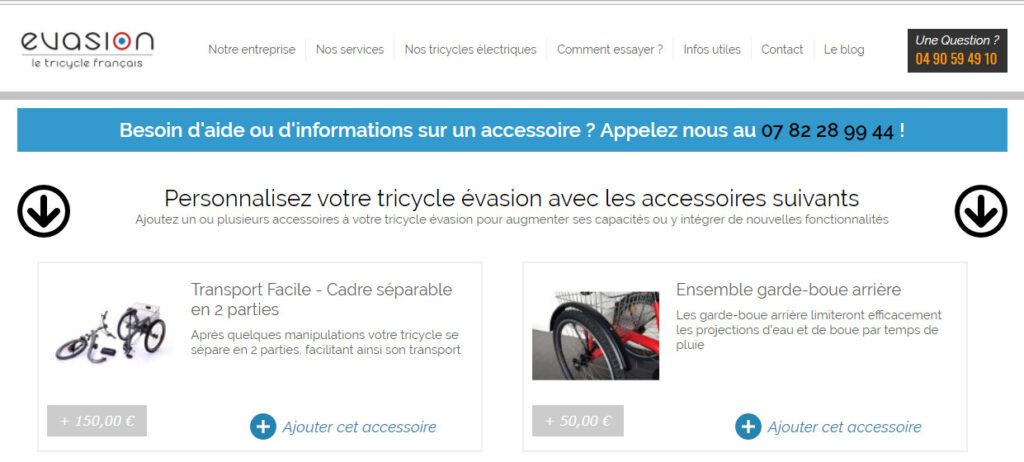
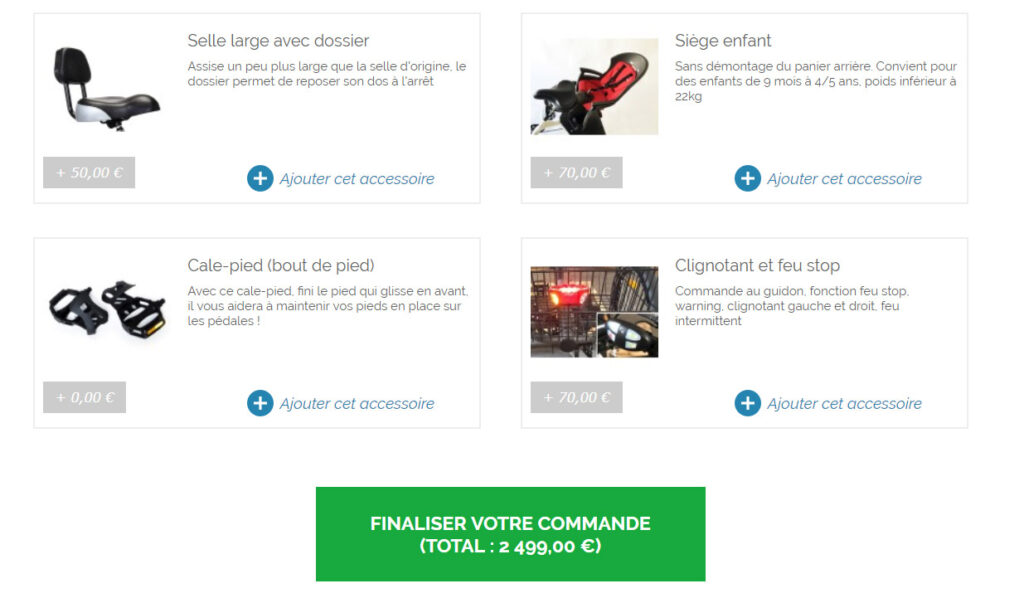
You will be redirected directly to your shopping cart; please check that the item(s) present correspond to your selection and then click on “FINALIZE YOUR ORDER”.
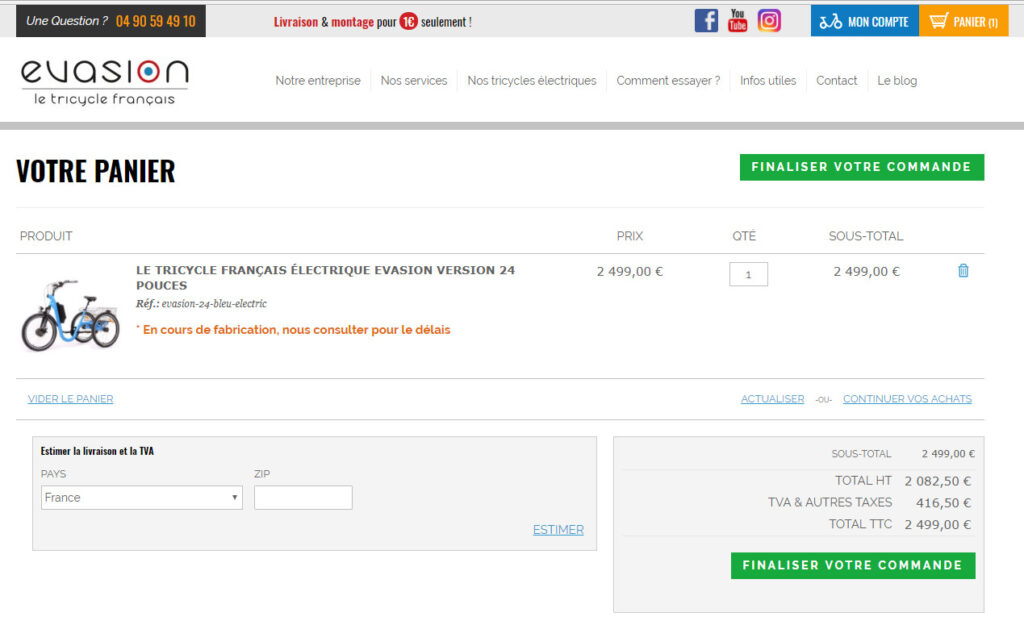
>> Step 3 :
All you have to do now is finalize your order. First, enter your details (delivery costs will be calculated automatically after entering the country, city and postal code). Next, choose the payment method that suits you best from the various options available. Finally, click on “PLACE ORDER”
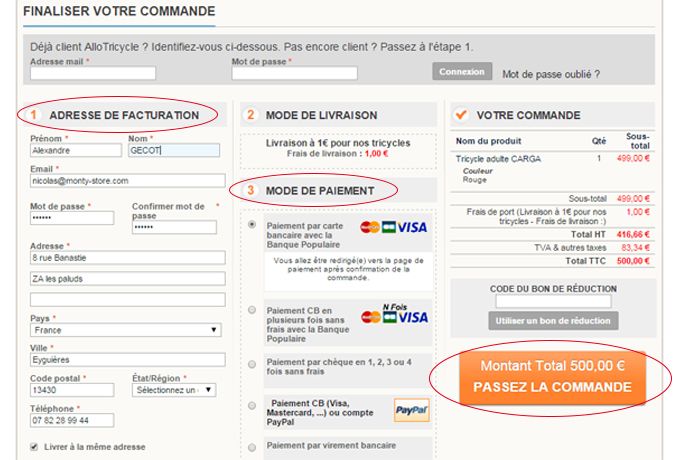
>> Step 4 :
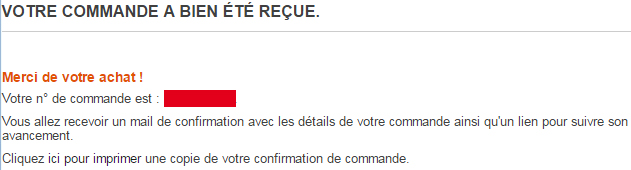
All you have to do now is make the payment and your order is complete. If you have chosen to pay online by credit card, you will be automatically redirected to the secure website of our banking partner, Banque Populaire, in order to finalize your purchases by entering your credit card numbers.
Do you have any doubts or problems during the online ordering process? Feel free to contact us at 04 90 59 49 10 or from abroad at +33 490 594 910 (toll-free call).


